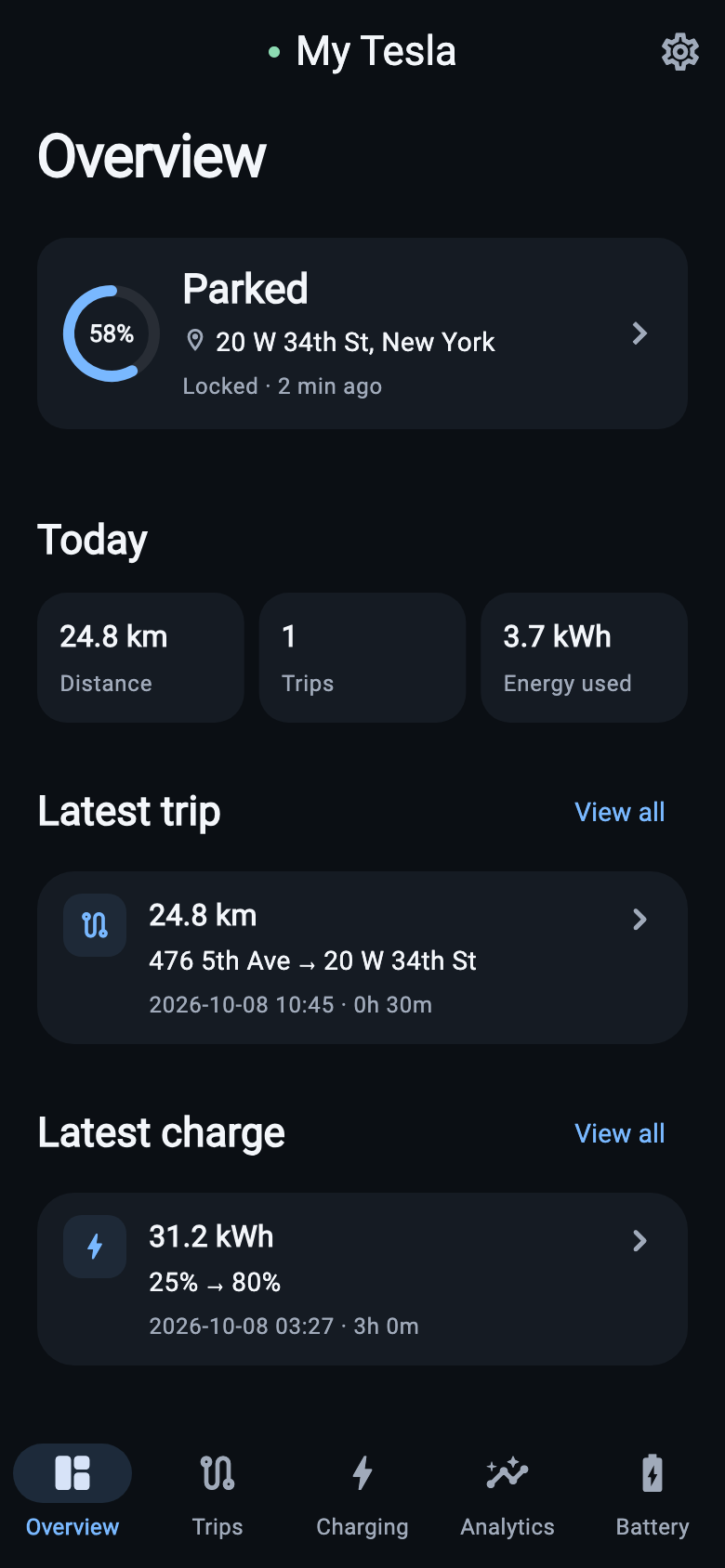
Every trip, in context.
Distance, energy, consumption and travel time. See where you went with routes and addresses when location is enabled.
Trip history & routesTrips, charging and battery health — together in one calm, clear view. Built around your car. Controlled by you.
Via the Tesla Fleet API
Trips · Charging · Battery
Telemetry and location are separate
From your morning drive to your next charge. Get the information you need without digging through raw telemetry.
Distance, energy, consumption and travel time. See where you went with routes and addresses when location is enabled.
Trip history & routesFollow a charging session as it happens. Look back at power, energy, state of charge and charging efficiency.
Live charging & session detailsTrack nominal capacity and cell imbalance over time. Degradation is an estimate based on the capacity reference you set.
Capacity & cell imbalanceA familiar dark interface that keeps your vehicle data in focus.
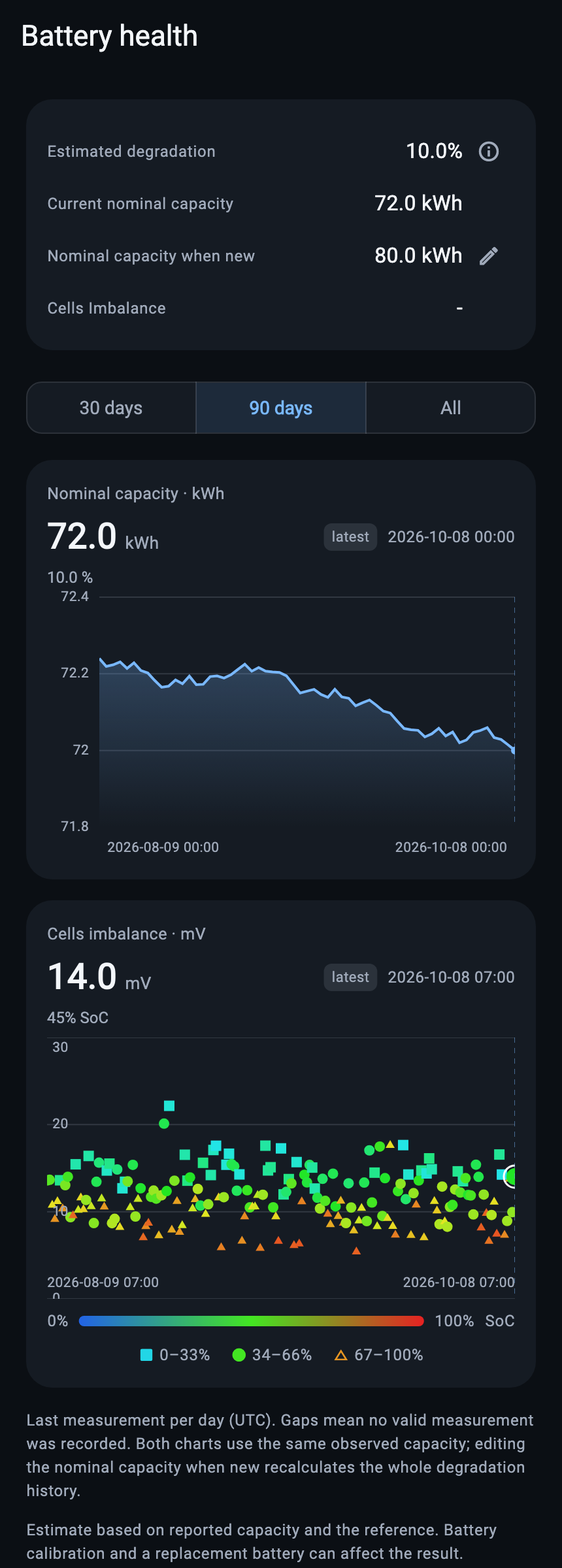
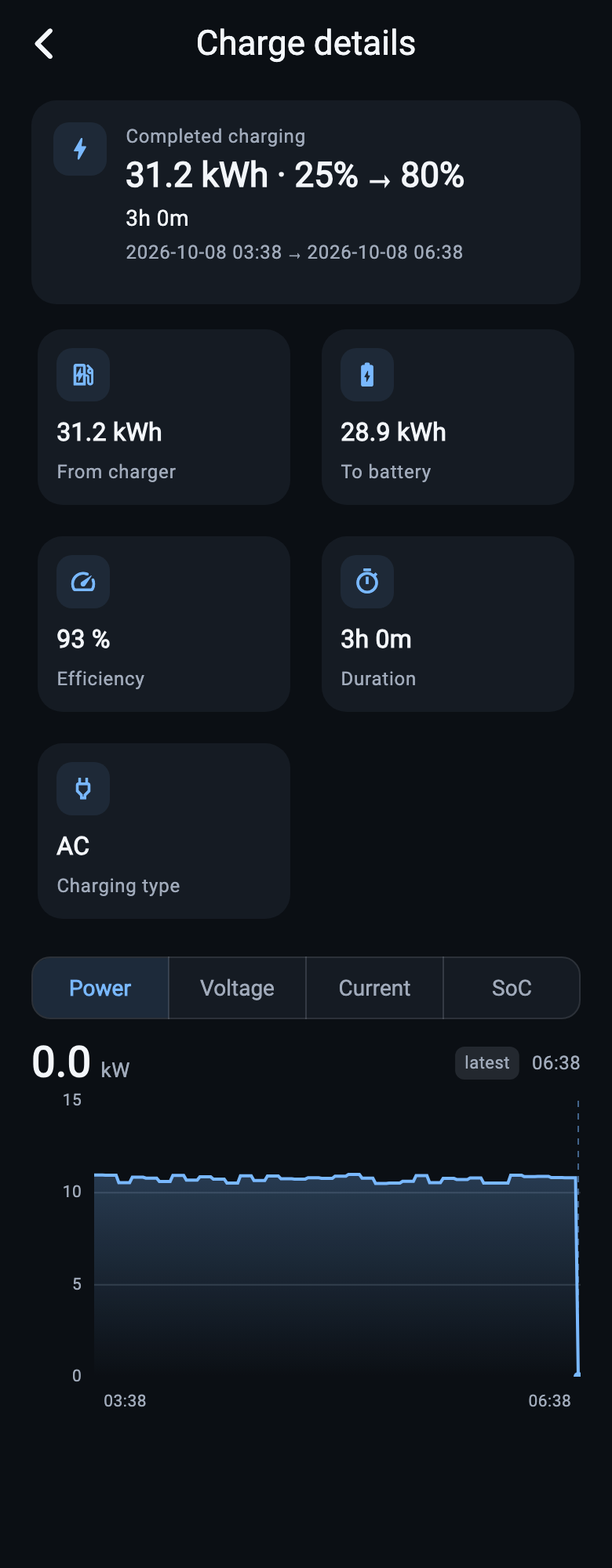
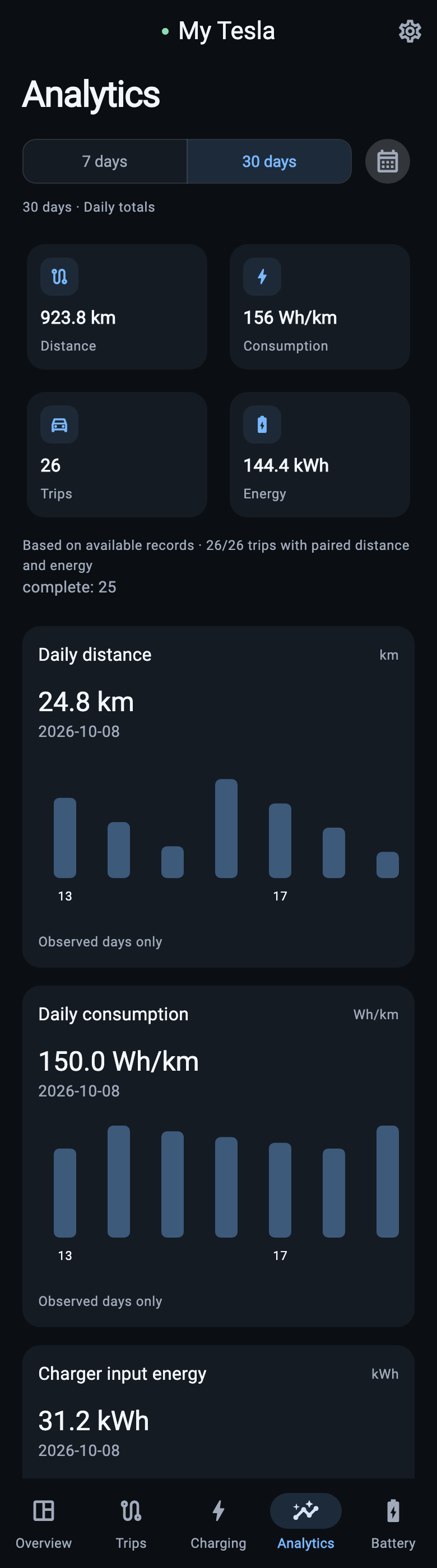
App screenshots show generated demonstration data, not real vehicle records.
Useful analytics should come with clear controls. Choose what to collect, and change your mind when you need to.
Read the privacy policySigning in and connecting Tesla do not enable collection. You turn telemetry on separately.
Routes and addresses need their own permission. Other vehicle insights work without them.
Turn collection off in Settings. Disconnecting removes vehicle data once remote disable is confirmed. Account deletion removes local history without waiting for Tesla.
Email support to ask about availability. Collection requires a verified subscription, an explicitly selected vehicle and your consent. Purchasing in the app is not available yet.
Tesometry supports compatible vehicles in North America and Europe through the Tesla Fleet API. Availability depends on your vehicle, region and permissions.
Tesometry uses the telemetry your car reports. Missing signals can leave gaps. Battery degradation is a provisional estimate, and DC charging and route accuracy are still being validated. Charging cost is not calculated yet.
Get in touch to ask about availability and upcoming access options.